Introduction to Flutter
Introduction to Flutter
Since then, Flutter has seen extraordinary growth — both in the toolkit itself and within the developer community. The transformative nature of application development with Flutter has been the biggest catalyst for its explosive growth since its inception.
Stateful hot reload
Default UI elements
Developer-friendly tooling
Many platforms, natively
With features like these, it is no surprise that developers and companies alike have fallen in love with Flutter.
Chapter overview
Structure
- An abridged history of apps
- The history of multi-platform app development
- A new multi-platform app development solution
- The rapid development of Flutter
- Why developers are flocking to Flutter
- Looking forward
Objectives
An abridged history of apps
In March of 1996, a then-little-known company named Palm released their first personal digital assistant: the Pilot 1000. There were several failed attempts at a pocketable, personal, app-centric digital device prior to the Palm Pilot, but it was truly the Pilot which ignited what would eventually dominate the global smartphone market.
By 2007, with Apple's release of the first iPhone, followed by the first release of Android in 2008, smartphones were beginning to take shape. The hardware was moving toward multi-touch paradigms (thanks to Steve Jobs' forward-thinking approach). The days of a dedicated, physical keyboard, made popular by the Blackberry, were numbered.
With both iOS (then iPhone OS) and Android came modern apps, which Palm and, later, Blackberry helped lay the groundwork for. Apple's and Google's approaches to application development differed, however one common thread remained consistent: users' insatiable demand for apps.
An entire industry has been built around delivering apps of all types to users, regardless of their platform of choice. This has led to massive duplication of effort, as applications once written solely for iOS are then ported to Android, and vice versa.
iOS
Android
The history of multi-platform app development
Due to the cost and hassle associated with maintaining separate iOS and Android codebases, many solutions were developed with varying amount of success to bridge the divide and unify multi-platform app development into a single codebase with a single development team.
Titanium SDK (2008)
PhoneGap → Apache Cordova (2009)
Xamarin → .NET MAUI (2011)
React Native (2015)
In the years following the release of JavaScript-based multi-platform app frameworks, other companies tossed their hat into the ring with a variety of solutions; the most notable contenders were Xamarin and Facebook.
It is easy to see that most of these multi-platform solutions employ the use of JavaScript as the underlying basis for creating apps, with the notable exception being .NET MAUI. JavaScript has a long history of developer support from the early days of the Web, so JavaScript developers are plentiful and well-versed in creating Web apps. With the advent of Google's V8 JavaScript engine, JavaScript has seen steady increases in speed and performance.
A new multi-platform app development solution
Recognizing the need for a better solution, engineers at Google set to work on a new way of building multi-platform applications. Many frameworks and languages were evaluated during the early development phases of Flutter, but eventually Dart was chosen over all others. Most important to the development team were four key pillars:
Developer productivity
Object-oriented
Short-lived allocations
High performance
With Dart, the team had its first logo (figure 1.1):

Figure 1.1: The Dart logo (Source: dart.dev)
Once Dart was chosen as the language on which Flutter would be built, the team agreed upon the remaining goals that would drive their decisions throughout development:
- Applications built in Flutter should be highly performant, with a target frame rate of 120 Hz.
- Applications built in Flutter should be platform agnostic; able to run on Android, iOS, and more.
- Applications should be fully privileged and have full access to the underlying operating system.
- Developers should have a fast development cycle, being able to edit and refresh the screen without the need to recompile and redeploy. No longer will it take upwards of 7 minutes to recompile changes to test code: stateful hot reload would allow for a sub-half-second test cycle.
- Flutter should be designed with continuous deployment in mind. Everything is always up-to-date and everywhere in the system recognizes that it is always online.
- Flutter should allow for a rich and flexible layout and painting of beautiful user interface elements.
- All the beautiful text that developers are used to creating on the web should be supported — right to left, up and down, ligatures, and so on.
- Flutter should be open, flexible, and extensible.
With these guiding principles laid out, the team set to work. On April 30, 2015, the team unveiled their creation at the Dart Developer Summit. Their framework was called Sky (Seidel, 2015). Between Dart Developer Conference 2015 and Dart Developer Conference 2016, however, the team knew they needed a new name. They settled on Flutter and gave themselves a logo (figure 1.2):

Figure 1.2: The Flutter logo (Source: flutter.dev)
The rapid development of Flutter
From its initial unveiling in 2015, Flutter has enjoyed a flurry of massive updates.
May 2017 — first alpha (v0.0.6)
The first alpha (v0.0.6) was released to the public in May 2017, followed by the first beta less than a year later at Mobile World Congress 2018 (FlutterDev, 2018). There were several beta releases and release previews throughout 2018.
December 4, 2018 — Flutter 1.0
Flutter 1.0 was finally released as stable. Included in the 1.0 release was a preview of Hummingbird, which would lay the groundwork for bringing Flutter to the Web. This represented a generational leap forward for the team as they worked toward their dream of being able to deploy Flutter applications on any screen. Five months would pass before the technical preview of Hummingbird was made available (figure 1.3):

Figure 1.3: The Hummingbird logo (Source: youtube.com)
May 2019 — Flutter 1.5 and September 2019 — Flutter 1.9
In the May 2019 update, which brought Flutter up to version 1.5, the Hummingbird moniker was dropped in lieu of Web being treated as a first-class target. In September 2019, Flutter 1.9 was released, with Flutter Web being integrated into the main repository.
March 2021 — Flutter 2.0
Flutter 2.0 (figure 1.4) saw the first stable release of Flutter Web. It brought far more than stable Web support, however: early access to desktop application support came in with this massive update, as well. For the first time, developers had the power to write code once and deploy it to Android, iOS, macOS, Windows, Linux, and the Web. The team's tireless efforts were beginning to pay off.
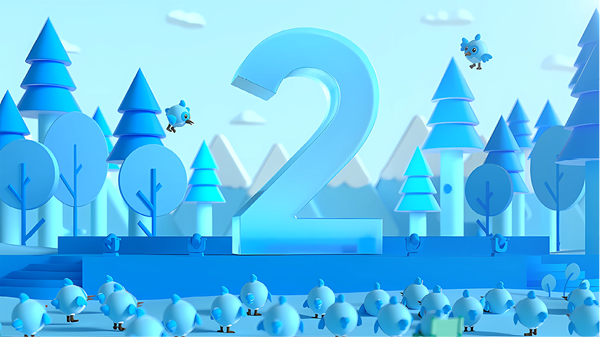
Figure 1.4: The Flutter 2.0 announcement logo (Source: developers.googleblog.com)
Flutter 2.0 also signaled a massive paradigm shift in the framework. More robust navigation was introduced with the advent of Navigator 2.0 (officially named the Router API), and sound null safety was enabled by default for all Flutter 2.0 projects.
May 2022 — Flutter 3.0
Flutter 3.0 was announced (figure 1.5). This version brought stable support for Flutter on the desktop in macOS, Linux, and Windows. All three platforms included support for international text input and accessibility services, such as screen readers. macOS support received extra attention in the form of native, cascading menus and universal binaries.
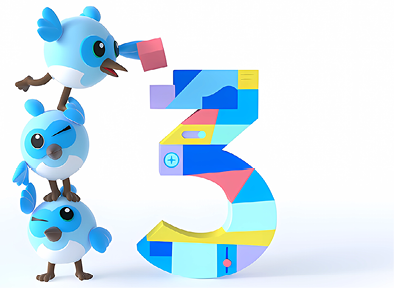
Figure 1.5: The Flutter 3 announcement logo (Source: medium.com)
Not to be left out of the Flutter 3.0 release party, mobile was front and center. New to Flutter 3 was support for foldable devices, variable refresh rate displays, Google's Material 3 design language support, and a preview of the new rendering engine, Impeller, for iOS.
August 2022 — Flutter 3.3.0
Flutter 3.3.0 was announced at the Flutter Vikings conference in Oslo, Norway. Further work was put into Impeller, which remained early access. This was also the time at which Eric Seidel, one of the co-founders of Flutter, parted ways with Google.
January 2023 — Flutter 3.7
Flutter 3.7 dropped at the Flutter Forward event in Nairobi, Kenya (figure 1.6). A keen-eyed observer will note that Flutter jumped from 3.3 to 3.7 — this is indicative of just how much work went into the release.

Figure 1.6: The Flutter Forward event announcement image (Source: flutter.dev)
- Many of the base widgets were updated with enhanced Material 3 support, including adding new widgets for cascading menus on systems other than macOS.
- Impeller took several steps forward, with a mostly complete iOS implementation. The team would continue working on Impeller for Android and desktop for future releases.
- The command to build a package for iOS now validates the application for any configuration changes which might be required by the App Store prior to release, making it quicker and easier to get through the app submission process.
- DevTools, Flutter's built-in developer tools, saw significant work, with a redesign of the section of the tools used to analyze the memory usage of your application.
- Additional improvements included custom context menus, smoother scrolling, a tool to assist in the internalization of your application, improvements to how text is selected by users, a text magnifier for fine-grained text selections, improvements to how background tasks are run, and much, much more.
May 10, 2023 — Flutter 3.10
Without a doubt, the biggest update to Flutter to date, released at Google I/O.
- It brought Dart 3, which introduced many new features such as records, patterns, and class modifiers.
- Flutter itself saw a broad adoption of the Material 3 design spec throughout its myriad built-in widgets.
- The Flutter Framework achieved compliance with Supply Chain Levels for Software Artifacts (SLSA) at Level 1, acknowledging such security features as a scripted build process, multi-party approval with audit logging, and provenance (Chisholm, 2023).
- Additional improvements included reduced bundle size for most compiled applications, faster loading times on the Web, element embedding allowing developers to embed Flutter into existing Web apps, support for fragment shaders, and many other new features and improvements.
Why developers are flocking to Flutter
Understanding what makes the development experience with Flutter so desirable first requires us to understand the development experience that led up to Flutter's inception. Since Flutter targets so many platforms, each of these has to be discussed somewhat independently.
Hello World on Android
The technology stack for a simple Hello World application (typically the first application a developer new to any language will write, as it is very simple in practice while showcasing the basic functionality of the programming language) spans a significant number of pieces of software and programming languages:
- Gradle, an automation tool, builds the application itself; multiple Gradle scripts bind together the build process.
- Historically, applications are built in Android Studio: a very capable and powerful integrated development environment (IDE) with many features that might be confusing to novices and seasoned developers alike.
- Android resource files are laid out using XML, whereas the bulk of the code itself is written in either Java or Kotlin.
All of this, and we have not even written a single line of code! Creating a new application kicks off a flurry of processes, resulting in a minutes-long wait before one is even able to explore their code. Each change requires a recompile and rebuild of the current activity, resulting in a slower development cycle.
Hello World with Flutter
Creating a new Flutter application is as simple as running flutter create and opening the resulting folder in your IDE.
Once the code is running (by issuing a flutter run command), changes are displayed instantly as you save your work due to Flutter's stateful hot reload functionality. The time between saving your work and seeing results on the screen is generally somewhere between 100 and 200ms, all while maintaining the state of your application.
Tooling
In addition to being able to see code changes nearly instantaneously, Flutter offers many tools to assist in a variety of ways.
dart fix
dart fix scans your project for known issues and fixes your code automatically. This is an enormous time-saver when updating to newer versions of Flutter, as Widgets that may have been renamed or modified will be automatically migrated to the new version.flutter analyze
flutter analyze scans for known issues within your code and provides valuable feedback on what issues were found, where in the code they were found, and often a solution to the issue which was found.One framework, many design languages
Developing a beautiful, platform-native UI using the Flutter framework is not only easy but fast. Flutter offers multiple robust Widget sets to create interfaces that adhere to Google's Material Design as well as Apple's Cupertino Human Interface Guidelines design language right out of the box. Furthermore, there are packages to create interfaces in Ubuntu's Yaru style and Microsoft's Fluent Design.
In fact, with Flutter, it is possible to create an application that will automatically switch between the Material and Cupertino design languages depending on the platform on which the code is running. Additional design languages can be easily added into the mix to create a truly native-looking and feeling application for every platform without the need to maintain separate codebases.
Looking forward
With hindsight, it seems almost inevitable that a toolkit as robust, powerful, and flexible as Flutter would be created. From the earliest days of the smartphone market, developers have been tasked with meeting consumers where they are at. With the advent of Web 2.0, the Internet itself grew from a simple information portal to something that each person could contribute to and interact with. Where a Web browser was no longer sufficient, applications grew to fill the gaps. Certainly, some of these applications could have been (and at one point were) replaced by their legacy Web brethren, but a greater need arose: market share.
As phones grew to give more and more screen real estate, a battle for supremacy over those precious pixels was fought. Why should your app exist as a bookmark in a Web browser when you could derive more usage by being an icon that exists as a persistent reminder of the value you offer? Then, once you are an icon on the screen, do you not want to be an icon on every screen? Now you need to make a choice:
Leverage Web technologies
Separate native teams
Conclusion
These days, we take for granted the ubiquitous availability of highly polished and purpose-built mobile applications for any task we can dream up. It is easy to lose sight of just how far the industry has come, and how much trial and error it took to get us to an easy-to-use and easy-to-develop-with toolkit like Flutter. It is with great enthusiasm that you are welcomed into this community of Flutter developers!
The book will prepare you for a career in building applications. But first, it investigates the market as it exists today for Flutter developers and explores where Flutter is being used in the wild. Where — and by whom — Flutter is being used may just surprise you. Without further ado, welcome to the world of Flutter for Jobseekers!
References
- Ceci, L. (2021, September 10). Number of apps available in leading app stores as of 1st quarter 2021. Retrieved from Statista: https://www.statista.com/statistics/276623/number-of-apps-available-in-leading-app-stores/
- Chisholm, K. (2023, May 10). What's new in Flutter 3.10. Retrieved from Medium: https://medium.com/flutter/whats-new-in-flutter-3-10-b21db2c38c73
- FlutterDev. (2018, February 27). FlutterDev on Twitter. Retrieved from Twitter: https://twitter.com/FlutterDev/status/968486429754933248
- Seidel, E. (2015, April 30). Sky: An Experiment Writing Dart for Mobile (Dart Developer Summit 2015). Retrieved from YouTube: https://www.youtube.com/watch?v=PnIWl33YMwA